


EINSTAR EZ GO
Available in stock (100)



Couldn't load pickup availability


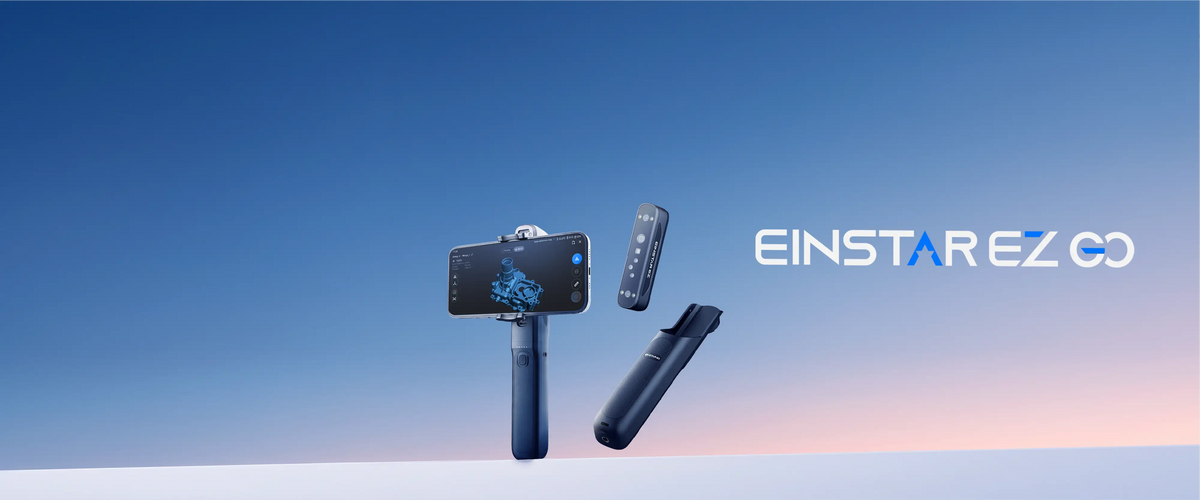

Big ideas Start Small
Lightweight, portable, and easy to use, EZ GO frees you from traditional scanning limitations, letting you capture the world in 3D anytime, anywhere.

Meet EZ
EZ is very capable compact 3D scanner module. Its depth cameras, texture camera, blue laser and infrared VCSEL collect geometry, surface detail and color for the 3D model.

Say Hello to GO
Powered to move freely. The Go is a battery powered grip that provides up to two hours of scanning time allows you to connect and process 3D scans directly from your mobile phone.

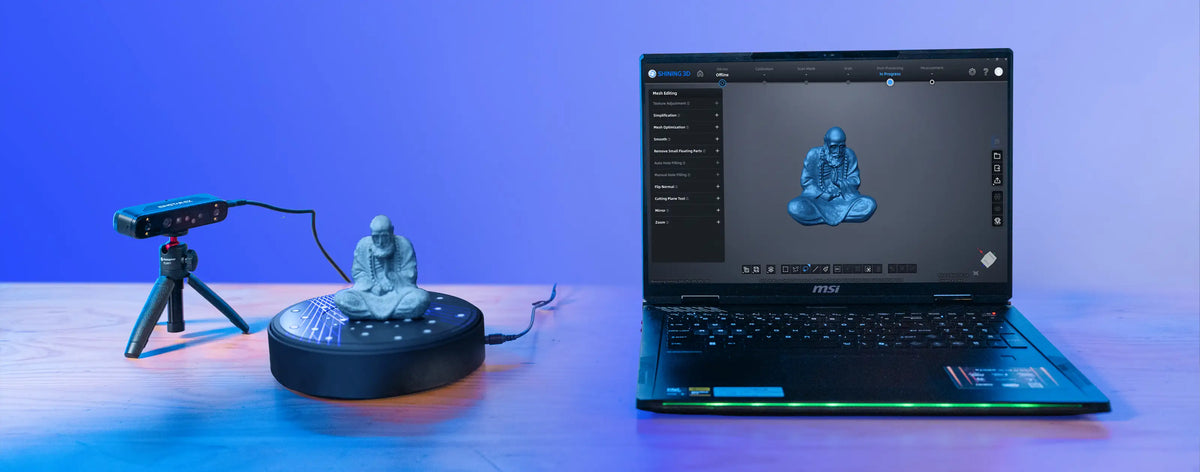
One EZ Scanner. Three ways to scan.


Phone (Android & iPhone)
EZ GO can scan and process 3D scans directly from with your phone. No computer, no cables.
Attach your phone via a magnetic mount and you ready to GO.
The handle delivers approximately 2 hours of continuous scanning and supports charging while scanning, providing reliable power for large objects and extended outdoor capture.
Tablet (Android & iPad)
Want to see more as you scan, no problem- use a tablet. Get the same wireless experience and 2 hours of continuous scanning power from the GO handle.
PC (Windows & iOS)
For extra grunt on larger projects, you can connect to a computer via a Type-C cable to utilise the full power of EXStar Hub 3D scanning software and integrate it into the downstream digital workflow.
GO EZier with AI
AI Tracking Algorithm and Real-time AI Isolation


AI Tracking Algorithm optimises tracking performance based on object features and motion, ensuring smoother and more stable scanning- even on feature-weak objects. It minimises tracking loss, misalignment, and drift for a more effortless scanning experience.

AI automatically identifies what you wish to scan and will ignore what you don't such as the background objects and hands.
One Little Scanner. Three Big Scanning Modes.

Scanning large objects in a breeze. Fast capture with beautiful colour.
EZ Go adopts a Class 1 laser system and IR VCSEL, ensuring eye-safe operation for everyday use across both laser and infrared scanning modes.


Get the finest of details with for common surfaces, black and reflective materials, small to medium objects with 30 crossed blue laser lines and marker free scanning.


When detail matters... a single blue line laser mode focuses on capturing complex and deep hole structures.


On The GO
Capture inspiration wherever you GO

EZ GO features a precision dual-channel optical filtering system that supports both blue laser and infrared scanning modes without filter replacement. It delivers stable scanning performance even under strong lighting conditions, with ambient light resistance of up to 80,000 lux.


Regular Colour Scan

3D Gaussian Splatter

EZ GO Scan Samples


VR & Gaming

Reverse Engineering

STEM Education

3D Printing

Digital Archiving

Creative Arts

Don't we all want Teddy?

Heritage Digital Archiving

To earn some bread

Get Closer to Nature

Tools and Fixtures

What's in the box

EINSTAR EZ (Scanner)
EINSTAR GO (Handle)
Tripod
Calibration Board Holder
Phone Mount, Cold Shoe Mount
Scan Dear Bag
Multi-Country Plugs
Magnetic Phone Holder
Reflective Marker Set (6mm & 3mm)
Calibration Board
Power Adapter
Phone Holder
Strap
USB-C Cables (2m & 0.3m
Packing List & Quick Start Guide
Mobile Application for EINSTAR EZ GO
Desktop Application for EINSTAR EZ GO
EINSTAR EZ GO Specifications
| Work Mode | Laser HD | IR Rapid |
|---|---|---|
| Light Source | Blue laser: 15 + 15 crossed lines Single line | IR VCSEL |
| Resolution | 0.05 mm – 10 mm | 0.2 mm – 10 mm |
| Scanning Speed | 1,150,000 points/s | 6,550,000 points/s |
| Working Distance | 160 – 550 mm | 160 – 800 mm |
| Alignment Mode | Marker / Feature / Hybrid / Global Markers | Marker / Feature / Hybrid / Texture / Global Markers |
| FOV | 140 × 110 mm @ 160 mm 450 × 500 mm @ 550 mm | 140 × 110 mm @ 160 mm 610 × 660 mm @ 800 mm |
| Laser Class | Class 1 | Class 1 |
Hardware & General Specs
| Specification | Details |
|---|---|
| Cameras | Depth cameras × 2 Texture camera × 1 |
| Output Formats | STL, OBJ, PLY, 3MF, ASC |
| Outdoor Environment | Up to 80,000 lux |
| Operating Temperature | −10°C to 40°C |
| Power Source | Battery life: up to 2 hours |
| Certification | CE, FCC, RoHS, WEEE, FDA, SRRC, IP50 |
| Interface | EZ Scanner: Wi-Fi 6 | USB Type-C × 1 GO Grip: USB Type-C × 2 |
| Dimensions | EZ Scanner: 126 × 30 × 37 mm GO Grip: 204 × 33 × 44 mm |
| Net Weight | EZ Scanner: 125 g GO Grip: 163 g |
Device Requirements
| Device | Recommended Configuration | Minimum Configuration |
|---|---|---|
| Android Phone / Tablet | Snapdragon 8 Gen 4 or above Android 15 or later 12 GB RAM or above | Snapdragon 8 Gen 2 or above Android 15 or later 8 GB RAM or above |
| Windows Laptop | Windows 11 64-bit RTX 3060 Laptop GPU or above VRAM 6 GB or above 64 GB RAM or above USB 3.0 | Windows 11 64-bit RTX 3060 Laptop GPU or above Intel Core i7-13700H or above VRAM 6 GB or above 32 GB RAM USB 3.0 |
| Apple Phone (Coming Soon) | A17 Pro or above iOS 26 or later 8 GB RAM or above | A15 or above iOS 26 or later 6 GB RAM or above |
| Apple Tablet (Coming Soon) | iPad Air / Pro with M2 or above iOS 26 or later 8 GB RAM or above | iPad A16 or above iPad mini A17 Pro or above iPad Air / Pro M1 or above iOS 26 or later 6 GB RAM or above |
| Apple Laptop | Tahoe 26.2 M1 Max / Ultra, M2 Max / Ultra, M3 Pro / Max / Ultra, M4 Pro / Max or M5 16 GB RAM or above | Tahoe 26.2 M1 Pro, M2 Pro, M3, M4 or M5 16 GB RAM or above |
FAQ's
Not sure if this the Einscan EZ GO 3D Scanner is right scanner for you?
Why should I purchase a Einstar EZ GO 3D Scanner from 3D Printer Superstore?
Why should I purchase a Einstar EZ GO 3D Scanner from 3D Printer Superstore?
When you invest in 3D scanning equipment, you need a partner, not just a vendor. With over 25 years experience in 3D scanning, reverse engineering and Inspection- 3D Printer Superstore has a dedicated team of Industrial Designers and Engineers who use this technology daily. We can provide deep technical consultation to ensure the equipment fits your specific engineering or inspection workflow, backed by a team that understands the practical realities of high-end 3D scanning.
Do I need a high-performance computer to process scans with the Shining 3D Einstar EZ GO?
Do I need a high-performance computer to process scans with the Shining 3D Einstar EZ GO?
No. The Einstar EZ GO can operate entirely from your smartphone via the EXStar Mobile app, eliminating the requirement for a laptop during data capture. Processing-intensive tasks like 3D Gaussian Splatting are handled natively in the cloud.
Technical Insight: Mobile processing completely shifts the scanning paradigm. The EZ GO pairs wirelessly with your phone over Wi-Fi 6. You scan, preview, and manage projects directly on the mobile interface. Heavy processing workloads are offloaded to Shining 3D's cloud architecture. This ensures users without high-tier GPU laptops can still generate high-resolution mesh data. For users requiring advanced post-processing control, an optional USB-C wired connection to the EXStar Hub on a PC remains available to maximise data transfer stability.
Can the Einstar EZ GO capture reflective, transparent, or black surfaces?
Can the Einstar EZ GO capture reflective, transparent, or black surfaces?
The AI tracking and IR VCSEL mode effectively capture black and low-texture geometry. The integration of 3DGS technology captures highly reflective materials and glassware far better than traditional geometry-only scanners.
Technical Insight: Dark and shiny surfaces typically scatter structured light, causing tracking loss. The EZ GO mitigates this through advanced AI tracking algorithms that adaptively optimise feature recognition in real-time. Cloud-based 3D Gaussian Splatting fuses multi-view photographic data with precision scan geometry. This creates a volumetric representation that retains specular highlights and physical reflections. For highly transparent glass or flawless mirror finishes, applying a light vanishing 3D scanning spray is still recommended for optimal geometric mesh generation.
How does the 3D Gaussian Splatting (3DGS) feature work on the Einstar EZ GO?
How does the 3D Gaussian Splatting (3DGS) feature work on the Einstar EZ GO?
3DGS fuses multi-view high-resolution images from the texture camera with precise geometric data collected by the depth cameras. This renders true-to-life volumetric colour models instead of traditional flat polygon meshes
Technical Insight: Traditional photogrammetry struggles with fine details like hair, fur, or fabric creases and folds. 3DGS changes this. By computing the data in the cloud, the EZ GO overcomes local hardware limits and outputs highly realistic digital assets. The RGB texture camera continuously captures scene data while the VCSEL and laser projectors map the geometry. This dual-pipeline approach ensures the final output maintains accurate physical proportions while projecting hyper-realistic surface textures, essential for AR/VR content and digital archiving.
Is the Einstar EZ GO suitable for outdoor 3D scanning in bright sunlight?
Is the Einstar EZ GO suitable for outdoor 3D scanning in bright sunlight?
Yes. The device features built-in dual-channel optical filtering that facilitates outdoor scanning in lighting conditions up to 80,000 lux without requiring external filters.
Technical Insight: Sunlight interference is a common bottleneck for infrared and structured light scanners. The EZ GO resolves this through integrated hardware filtering. Whether using the Blue Laser or Infrared VCSEL modes, the scanner aggressively rejects ambient light noise. This specific capability allows users to capture automotive parts in a driveway, architectural details on site, or outdoor sculptures without waiting for overcast conditions or setting up shade tents.
How long does the battery last, and can I scan completely wirelessly?
How long does the battery last, and can I scan completely wirelessly?
The GO battery grip contains a 5,400 mAh cell, providing up to 2 hours of continuous scanning. The unit communicates with your smartphone entirely wirelessly via Wi-Fi 6.
Technical Insight: The physical architecture splits into two modules: the EZ scanner core (125g) and the GO battery grip (163g). Snapping the two together creates a self-sufficient, single-handed scanning ecosystem. Wi-Fi 6 integration ensures the high-bandwidth data stream between the scanner and the phone remains stable, devoid of cable snags. Once the initial pairing profile is saved, the device connects instantly upon powering up.
Do I need to use tracking markers when scanning with the EZ GO?
Do I need to use tracking markers when scanning with the EZ GO?
No. The EZ GO offers marker-free scanning in both Laser and Infrared modes.
Technical Insight: Applying physical reference dots adds significant preparation time to reverse engineering workflows. The EZ GO leverages its AI Tracking Algorithm to sustain spatial awareness based on object geometry and real-time movement. For capturing highly symmetrical objects, large flat surfaces with zero distinguishing features, or ultra-precision mechanical parts, the software still supports hybrid, texture, and global-marker alignment modes. This offers professional flexibility when the geometry alone is insufficient for tracking.
What is the difference between the Laser HD and IR Rapid scanning modes?
What is the difference between the Laser HD and IR Rapid scanning modes?
Laser HD utilises 30 crossed blue laser lines for sub-millimetre detail on industrial parts. IR Rapid uses VCSEL infrared light for fast, eye-safe capture of people, medium-to-large objects, and organic shapes.
Technical Insight: The scanner intelligently combines two distinct hardware sets. The Laser HD mode captures at 1,150,000 points per second with a resolution down to 0.05 mm, ideal for complex mechanical structures, deep holes (using the single-line laser), and intricate grooves. The IR Rapid mode broadens the field of view to 610 x 660 mm and accelerates capture to 6,550,000 points per second. This makes it highly efficient for scanning body parts, furniture, and large automotive panels where extreme micro-detail is secondary to speed and field of view.
What file formats does the Einstar EZ GO export for 3D printing and reverse engineering? ?
What file formats does the Einstar EZ GO export for 3D printing and reverse engineering? ?
The EZ GO natively exports raw data in STL, OBJ, PLY, 3MF, and ASC formats.
Technical Insight: Versatility in data export ensures seamless integration into existing CAD and 3D printing pipelines. STL remains the standard for immediate slicing and FDM/Resin 3D printing. For full-colour applications, including advanced PolyJet printing or digital rendering, OBJ, PLY, and 3MF formats retain the rich texture maps captured by the RGB camera. Point cloud data can be exported as ASC for direct integration into high-end metrology and reverse engineering software environments.
Does the AI Target Extraction actually save time during post-processing?
Does the AI Target Extraction actually save time during post-processing?
Yes. The Real-Time Target Extraction intelligently isolates the primary subject from background noise during the live scan.
Technical Insight: Removing a tabletop or background walls from a mesh traditionally requires manual lassoing and deletion in post-processing. The EZ GO uses AI segmentation to detect the target object's outline dynamically. By effectively ignoring background geometry during the point cloud generation phase, it drastically reduces file size and cuts down mesh clean-up time. Users receive a cleaner, ready-to-use digital asset straight from the mobile application.
Is the Einstar EZ GO a safe 3D scanner for schools to use in capturing human faces and bodies?
Is the Einstar EZ GO a safe 3D scanner for schools to use in capturing human faces and bodies?
Yes. IR Rapid mode runs on an infrared VCSEL light—it’s invisible to the subject and completely eye-safe.
Technical Insight: The device operates within Class 1 laser safety standards. When scanning human subjects, the VCSEL projector replaces the intense blue laser grid with a soft, non-invasive infrared pattern. This eliminates the discomfort of bright flashing lights, making it ideal for orthotics, prosthetics, and capturing digital avatars. The wide 610 x 660 mm field of view in IR mode ensures rapid capture of the human form before the subject shifts or moves.
More Shining 3D Products

Choose your option
Choose your option
Choose your option

Choose your option

Choose your option

Choose your option
Not Sure if the Einstar EZ GO is right for you?
We are here to help!
The 3D Printer Superstore are Australia's Leading Experts in 3D Scanning with over 25 years experience in design, 3D scanning and reverse engineering. We can provide solid advice on what is best most suitable for your needs.


