Your Cart is Empty



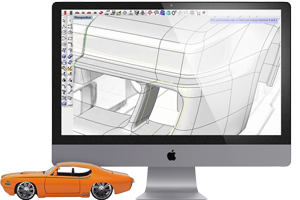
The latest update introduces a comprehensive suite of tools designed for real-world applications. EXModel Pro 2026 delivers professional-grade modeling capabilities designed for precision manufacturing workflows. Leverage selection-based symmetry compensation to refine geometry while preserving accuracy in critical zones. Advanced lofting generates smooth, continuous surfaces with full control over transitions. Accelerate production timelines with enhanced thickening and shelling that delivers manufacturing-ready output. Adjust draft angles and reposition faces for rapid manufacturability optimization. Variable and multi-face filleting options handle complex geometric transitions seamlessly. Flatten surfaces to generate accurate outlines for decals, films, and flexible material applications. Real-time deviation analysis provides continuous feedback throughout your modeling process, enabling confident design decisions at every iteration.
EXModel 2026 includes a wide range of specific enhancements to streamline the design-to-manufacturing process:
Mesh Split with 3D Sketch
Cut complex meshes using sketched curves and profiles in true 3D. Perfect for isolating regions, creating work areas, or preparing scan patches for downstream surfacing.
Modifiable Fit Surface
Fit smooth NURBS patches directly to mesh selections—then re-edit degree, UV layout, and continuity without refitting from scratch. Ideal for controlled Class-A-style patches on real scans.
Interactive Draft Extrusion
Extrude profiles into solids while live-adjusting draft angle, direction, and depth with instant preview. Great for manufacturable bosses, ribs, and core/cavity prep.
Thicken & Offset Surface
Turn surface bodies into watertight solids with precise thickness, inside/outside/both-side options, and corner behavior control. Useful for covers, housings, and press-fit parts.
Planar Surface from 2D Sketch
Generate precise planar faces straight from sketches with automatic plane detection and tolerance-aware snapping. Quick way to close openings or create machining datums.
Loft & Blend
Create smooth transitions between profiles with G0/G1/G2 continuity and section weighting. Build freeform fillets, fair bridges, and high-quality surface flows over scan-derived edges.
Split Surfaces & Solids with Sketch
Use sketches to cut faces or solids into editable regions for localized operations (fillets, thickness, materials), clean, surgical edits without redrawing geometry.
Split Solid with Surface Body
Trim one solid using any surface body—handy for parting lines, cut-aways, and advanced mold work when the cutting tool isn’t planar.
Move / Offset Face
Directly push, pull, or offset faces to tweak dimensions, clearances, and wall thicknesses while preserving adjacent topology. Fast design-for-fit iterations.
Draft Face
Apply a precise draft to selected faces relative to a pull direction with live feedback. Fixundercuts and brings scan-derived models up to injection-molding standards.
Extend Surfaces
Grow surfaces with tangent or curvature continuity to close gaps and build robust intersections. Essential for patch networks over imperfect scan data.
Fill Surface
Close holes with high-quality fills and selectable continuity to surrounding edges. Produce edit-ready CAD where scans have voids or missing regions.
Shell
Hollow solids to a target wall thickness with options for multi-face removal. Build lightweight, production-ready parts from reverse-engineered solids in a click.
Advanced Filleting — Variable & 3-Face Fillet
Create variable-radius fillets that adapt along an edge, plus solve tricky corners with three-face fillets. Get smooth, manufacturable blends on real-world geometry.
Automatic Fillet Based on Scan Data
Detect and recreate fillet radii from the mesh, then convert them to true CAD fillets. Speeds up detailing while preserving the part’s original design intent.
Solid-Based Trimming
Use solids as trimming tools for other solids or surfaces to generate clean intersections and watertight results —no messy Boolean fallout.
Flatten
Unfold developable or near-developable surfaces to 2D with strain visualization. Export outlines for decals, cut patterns, and films that must fit complex forms.
Real-time Analysis on Every Essential Feature
See deviation, curvature, and draft feedback as you work—extrudes, lofts, fillets, shells, and more. Make confident edits with live pass/fail cues against the scan.